
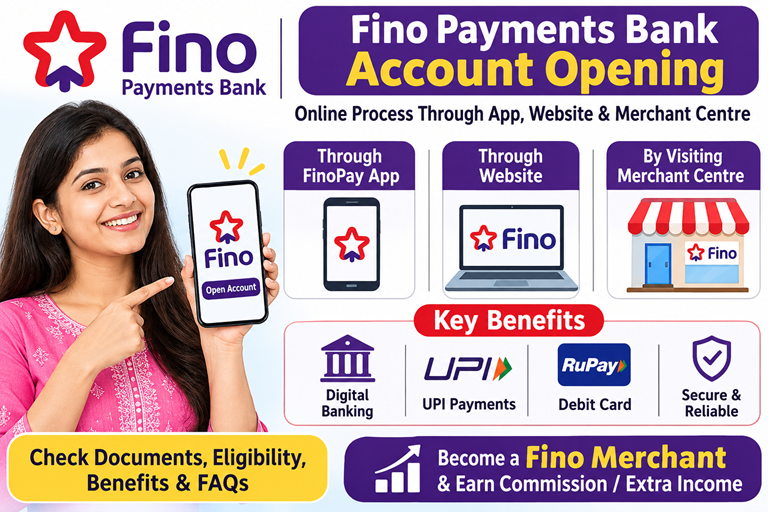
Fino Payments Bank Account Opening: Online Process Through App, Website & Fino Merchant Centre
Are you looking for Fino Payments Bank account opening online? Fino Payments Bank offers different ways to open a savings account. You can start the process through the FinoPay mobile app, submit an online request through the official website, or visit a nearby Fino Payments Bank branch or registered Fino Merchant Centre.
Opening a Fino savings account can provide access to digital banking, UPI payments, money transfers, debit card facilities and other banking services, depending on the account variant.
In this guide, we will explain the complete Fino Payment Bank account opening process, required documents, eligibility, benefits, limitations and frequently asked questions.
Whether you want to open an account for personal banking or visit a Fino Merchant Centre for assisted account opening, this article will help you understand the process.
What Is a Fino Payments Bank Account?
Fino Payments Bank is an RBI-licensed payments bank that provides digital banking and financial services to customers across India.
Customers can open eligible savings accounts and use services such as:
- Digital savings accounts
- UPI payments and money transfers
- Cash deposit and withdrawal facilities through eligible banking points
- RuPay debit card facilities
- Mobile banking through the FinoPay App
- Domestic money transfer
- Bill payments and mobile recharges
- Aadhaar-enabled banking services through eligible merchant points
Fino offers different savings account variants, so features, charges, eligibility and transaction limits may differ depending on the selected account.
Fino Payments Bank Account Opening – Available Methods
There are three main ways to apply for a Fino Payments Bank savings account.
| Account opening method | How it works |
|---|---|
| FinoPay Mobile App | Start digital account opening through the mobile application |
| Fino Official Website | Submit an online application or callback request |
| Fino Merchant Centre | Visit a registered merchant point for assisted account opening |
Let’s understand each method step by step.
1. Fino Payments Bank Account Opening Online Through Mobile App
If you have a smartphone and internet connection, you can start the account opening process from your home using the FinoPay App.
Follow these steps:
Step 1: Download the FinoPay App
Visit the Google Play Store or Apple App Store and search for the official FinoPay application.
Download and install the application on your smartphone.
Step 2: Register Your Mobile Number
Open the application and follow the registration instructions.
Enter your active mobile number and complete the OTP verification wherever requested.
Step 3: Select Digital Account Opening
After registration, look for the digital savings account opening option in the app.
Select the appropriate account product.
Step 4: Enter Personal Details
Fill in the information requested by the bank, such as:
- Full name
- Date of birth
- Aadhaar details
- PAN details
- Address
- Mobile number
- Other KYC information
Step 5: Complete KYC Verification
Follow the instructions displayed in the app to complete the applicable KYC process.
Depending on the account opening journey, verification may involve Aadhaar OTP, PAN verification or other digital verification requirements.
Step 6: Submit Your Application
Check all the details carefully and submit your application.
Step 7: Account Activation
Once the bank completes the required verification and approval, your account will be opened or activated.
You can then access the available banking facilities through the FinoPay App.
2. Fino Payments Bank Account Opening Through Official Website
You can also apply for a Fino Payments Bank savings account through the official website.
This method is useful for customers who want to submit their details online and receive assistance from a bank representative.
Follow these steps:
- Visit the official Fino Payments Bank website.
- Open the Savings Account section.
- Select the account type you want to apply for.
- Click on the Apply Now option.
- Enter your full name and mobile number.
- Provide your PIN code and email address, if requested.
- Submit the application form.
- Wait for a representative to contact you with the next steps.
Important: Submitting the website form is an application or callback request. It does not automatically mean that your bank account has been opened. You may need to complete further KYC and verification.
Official website: https://www.fino.bank.in/savings-account
3. Fino Payments Bank Account Opening by Visiting a Merchant Centre
If you are not comfortable opening a bank account online, you can visit your nearest registered Fino Merchant Centre.
A Fino Merchant Centre provides assisted banking services and can help customers complete eligible account opening procedures.
This method is particularly useful for people who need help with Aadhaar-based biometric verification.
Step-by-Step Account Opening Process at Fino Merchant Centre
Step 1: Find Your Nearest Fino Merchant Centre
Visit a registered Fino Merchant Point in your area.
Look for an authorised outlet displaying Fino branding.
Step 2: Ask for Savings Account Opening
Inform the merchant that you want to open a Fino Payments Bank savings account.
Ask about the available account types and their charges.
Step 3: Provide Required Documents
Carry your Aadhaar Card, PAN Card and active mobile number.
If you do not have a PAN Card, ask whether Form 60 is acceptable for the particular account opening process.
Step 4: Complete Biometric Verification
The merchant may use an authorised biometric device for Aadhaar-based e-KYC, depending on the applicable account opening process.
Step 5: Verify Your Details
Check your name, address, date of birth and other personal information before submitting the application.
Step 6: Complete Account Opening
The merchant submits your application through the authorised Fino banking system.
After successful verification and approval, your account will be opened.
Step 7: Receive Account Details
Once the account is activated, you can obtain your account details and information about available banking services.
You can also ask the merchant about debit card delivery, mobile banking registration and other facilities.
Documents Required for Fino Payments Bank Account Opening
Before applying, keep the following documents and details ready.
| Documents | Purpose |
|---|---|
| Aadhaar Card | Identity and address verification |
| PAN Card | Financial and KYC verification |
| Active Mobile Number | OTP and banking communication |
| Form 60 | Alternative where accepted instead of PAN |
| Email ID | Banking communication and statements |
| Photograph | If requested during the process |
The exact document requirements may differ depending on the account type and KYC method.
Eligibility for Fino Payments Bank Account Opening
Before applying, check the eligibility conditions for the selected savings account.
- You must satisfy the age requirement for the account variant.
- You should be an eligible resident Indian individual.
- You must provide valid KYC details.
- You should have an active mobile number.
- You must complete the bank’s verification process.
- You must comply with the applicable banking rules.
For example, FinoPay Digital Savings Account has a stated eligibility age of 18 to 55 years. Other account variants may have different eligibility conditions.
Benefits of Opening a Fino Payments Bank Account
Here are some important benefits of opening an eligible Fino savings account.
1. Digital Banking Facility
You can access banking services through the FinoPay mobile application without visiting a branch for every transaction.
2. Zero Minimum Balance on Eligible Accounts
Some Fino savings account variants offer zero minimum monthly average balance requirements.
This can help customers who do not want to maintain a fixed minimum balance.
Always check the selected account’s terms and conditions.
3. UPI Payment Facility
Eligible accounts can be linked with UPI to make digital payments.
You can use UPI for:
- Shopping payments
- Mobile recharge
- Electricity bill payments
- Sending money
- Receiving payments
4. RuPay Debit Card
Eligible savings account customers can access RuPay debit card facilities.
The card can be used for supported ATM transactions and online or retail purchases, subject to applicable terms.
5. Easy Account Opening
Fino provides digital account opening facilities through its mobile app.
Customers can also visit authorised merchant points for assisted account opening.
6. Access to Banking Services Near Home
Fino has a wide merchant network that helps customers access certain banking services through local outlets.
7. Interest on Savings
Eligible savings account balances earn interest according to the applicable interest rate and account terms.
Limitations of Fino Payments Bank Account
Before opening an account, it is equally important to understand its limitations.
1. It Is Not a Full-Service Commercial Bank
Fino Payments Bank operates under the regulatory framework applicable to payments banks.
Its services are different from those of traditional commercial banks.
2. Deposit Balance Limit
Payments banks are subject to RBI-prescribed end-of-day customer balance limits. The general regulatory ceiling is ₹2 lakh per individual customer, subject to applicable rules and permitted arrangements.
Do not assume that a Fino account can hold unlimited deposits.
3. Account Opening Requires KYC
You cannot complete account opening without the required identity verification.
The bank may reject or hold an application if the provided details do not match its verification requirements.
4. Account Features May Differ
All Fino savings accounts do not necessarily offer identical facilities.
Debit card charges, transaction limits, interest rates and other fees can vary by account variant.
5. Digital Services Require Internet Access
To use mobile banking and digital account services, you generally need a compatible smartphone and internet connection.
6. Minimum KYC Accounts May Require Upgradation
Some minimum-KYC digital accounts require full KYC or account upgradation within the prescribed period. Check the applicable account terms before opening.
Fino Payments Bank Account Opening – Online vs Merchant Centre
Which method should you choose?
| Features | Mobile App | Website | Merchant Centre |
|---|---|---|---|
| Apply from home | Yes | Yes | No |
| Smartphone required | Yes | Not always | No |
| Internet required | Yes | Yes | Merchant-assisted |
| Assisted KYC | As supported | Through further process | Yes |
| Biometric verification | Depends on journey | Depends on journey | Available where applicable |
| Personal assistance | Limited | Representative callback | Yes |
| Account activation | After verification | After verification | After verification |
My suggestion: If you are comfortable using smartphones, try the FinoPay App. If you need help with KYC or biometric verification, visit a registered Fino Merchant Centre.
Important Things to Check Before Opening a Fino Account
Before submitting your application, remember these points:
- Always use the official Fino Payments Bank website or application.
- Verify that the merchant centre is authorised.
- Check the account variant and its applicable charges.
- Never share your ATM PIN, UPI PIN or OTP with anyone.
- Do not pay unofficial charges to anyone promising guaranteed account activation.
- Collect an acknowledgement or transaction reference wherever applicable.
- Read the account terms and conditions carefully.
Frequently Asked Questions About Fino Payments Bank Account Opening
1. How can I open a Fino Payments Bank account online?
You can start the process through the FinoPay App or the official Fino Payments Bank website. Complete the requested details and KYC verification to open your account.
2. Can I open a Fino Payments Bank account without visiting a branch?
Yes. Eligible customers can open a savings account through the FinoPay App or start an application through the official website, subject to the bank’s verification requirements.
3. What documents are required for Fino account opening?
Generally, Aadhaar Card, PAN Card and an active mobile number are required. Form 60 may be accepted instead of PAN for eligible account opening journeys.
4. Can I open a Fino account through a merchant?
Yes. You can visit an authorised Fino Merchant Centre for assisted savings account opening and applicable KYC verification.
5. Is Fino Payments Bank a zero-balance bank?
Some Fino savings account variants offer zero minimum balance facilities. However, charges and conditions depend on the selected account.
6. Can I open a Fino account without a PAN Card?
Fino’s customer support information states that Form 60 can be submitted instead of PAN for eligible account opening journeys. Confirm the applicable requirements before applying.
7. Can I open a Fino Payments Bank account using my mobile phone?
Yes. You can use the FinoPay App to start the digital account opening process.
8. Can I receive money through UPI in my Fino account?
Yes. Eligible Fino savings accounts can use UPI services through the FinoPay App.
9. Is biometric verification compulsory?
Not for every account opening journey. The verification method depends on the account type and whether you choose a digital or assisted account opening process.
10. Can I open a joint Fino savings account?
The FinoPay Digital Savings Account currently supports single-mode operation rather than joint account operation. Check the terms of other account variants separately.
11. How much money can I keep in a Fino Payments Bank account?
Payments banks are generally subject to a maximum end-of-day balance of ₹2 lakh per individual customer, under applicable RBI regulations and permitted arrangements.
12. How can I find the nearest Fino Merchant Centre?
You can use Fino’s official website or contact its customer support to find a registered merchant point near your location.
Start Your Own Fino Merchant Business with Vyapar Grow
Opening a Fino savings account is useful for personal banking. But did you know that you can also explore becoming a Fino Merchant and creating an additional source of income?
If you already operate a shop, cyber cafe, CSC centre, mobile shop, grocery store or another retail business, becoming a Fino Merchant may help you expand your existing business.
As an authorised Fino Merchant, you may be able to offer eligible banking services to customers and earn commissions according to the applicable service-wise commission structure.
Services You May Offer as a Fino Merchant
- Fino Savings Account Opening
- Domestic Money Transfer (DMT)
- Aadhaar Enabled Payment System (AePS)
- Micro ATM Services
- Cash Withdrawal Services
- Eligible Bill Payment Services
- Insurance and other approved financial products
How Can You Earn Extra Income?
Suppose you already operate a retail shop. Customers visiting your shop may also need cash withdrawal, money transfer, account opening or other banking services.
By offering approved Fino banking services, you can generate additional business opportunities and earn eligible commissions on successful transactions.
Your actual earnings will depend on customer demand, transaction volume, service-wise commission rates and operating expenses. There is no guaranteed income.
How to Become a Fino Merchant Through Vyapar Grow?
Vyapar Grow helps interested applicants understand the Fino Merchant registration process and the requirements for starting a banking service point.
Visit our website:
Explore Fino Merchant and Fino CSP registration information, understand the required documents and learn how to apply.
Don’t limit your shop to selling products. Explore banking services and create another potential income source with Fino Merchant services.
Apply through the appropriate authorised onboarding channel and verify all fees, eligibility requirements and commission terms before joining.